Invoice a job by voice
The fastest way — speak it, check it, send it.
The jobs that never get invoiced are the ones you meant to "do tonight". Speaking the invoice in the van, 30 seconds after finishing fixes that: the details are still fresh (no forgotten parts or hours), the invoice goes out the same day, and the sooner it’s sent the sooner it’s paid. This is the habit the whole app is built around.
- On Home, tap the mic.
- Say who it’s for, what you did, how long, and the price — e.g. "Invoice Mrs Jones, new consumer unit, two hours, £90 plus £45."
- Tap Stop & review, check the draft, fix anything.
- Send invoice — or Save draft for later.
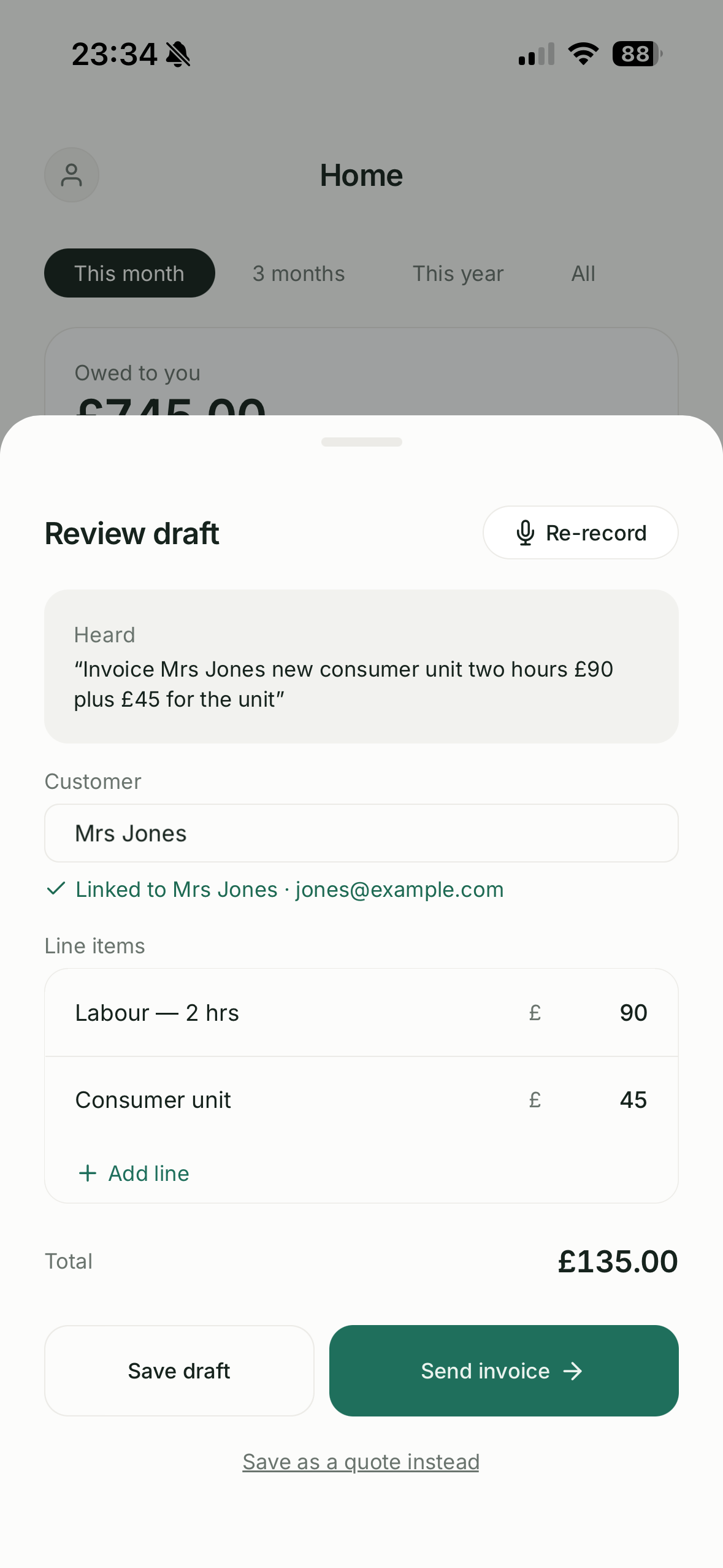
A line with no price is flagged with a ⚠️ and you’ll be asked to check before sending. We never guess emails or phone numbers from speech — add those on the customer.
Still stuck? Contact support.